You need to choose between Keyshot vs Blender for a specific 3D project. Which one would you choose? First, let’s find out the upsides and downsides of each software.
By evaluating some key features, you could find out the right fit for your tasks. Both the 3D toolsets have their own specialty and benefits.
Choosing the right toolset improves and streamlines your 3D workflow. Plus, you get to expect better results on your 3D pipeline.
Clear up all of your doubts and check out the in-depth analysis of both tools below.
Before getting into the software comparison, let’s get to know each of them. First, it would provide you with the best concept of each toolset. Then, with its background, you would grasp the basic concepts behind each of the toolsets.
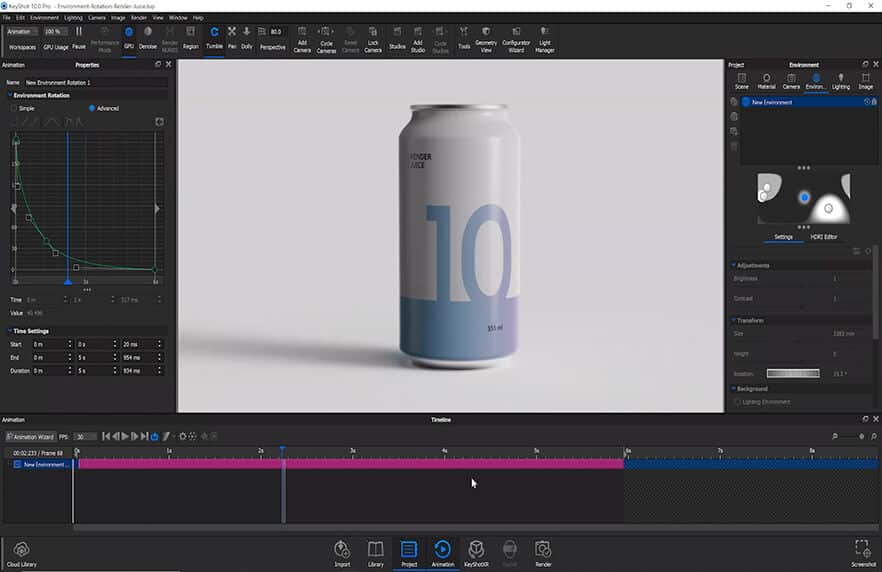
KeyShot is a real-time rendering application that provides you with V-Ray tracing. In addition, it provides you with the option to create animation seamlessly. Moreover, it offers you options in an easy-to-understand way. Hence, it’s a great rendering tool to use for anyone.
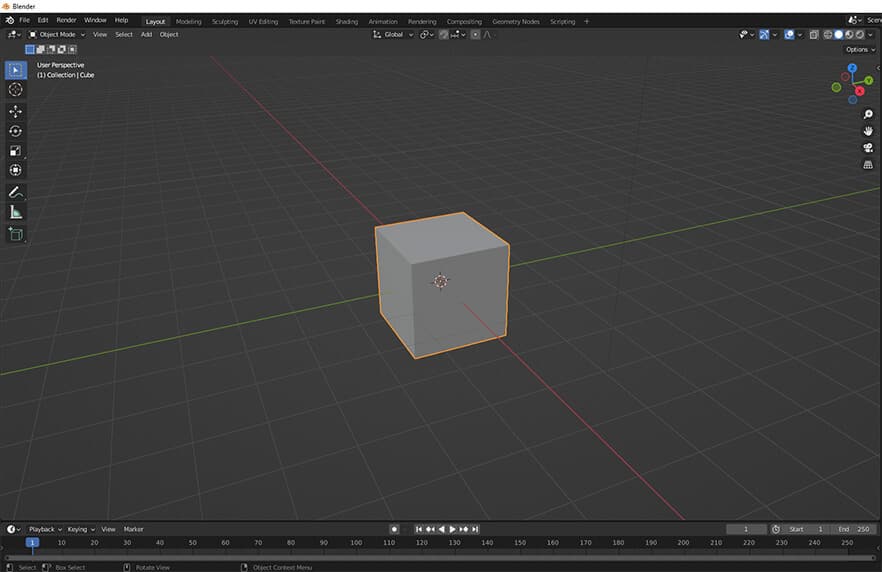
Blender is a 3D software that comes from the Blender Foundation. It’s an open-source and free-to-use tool gaining traction over the years. Within the software, you could perform video editing, UV unwrapping, texturing, and 3D modeling. In addition, it’s available in 36 languages.
Let’s get into the basic difference between the two software suites. It would help you to distinguish between them from the inside out. Going into these differences would clear it up on these concepts. We will explore KeyShot first and then Blender in each of the sections.
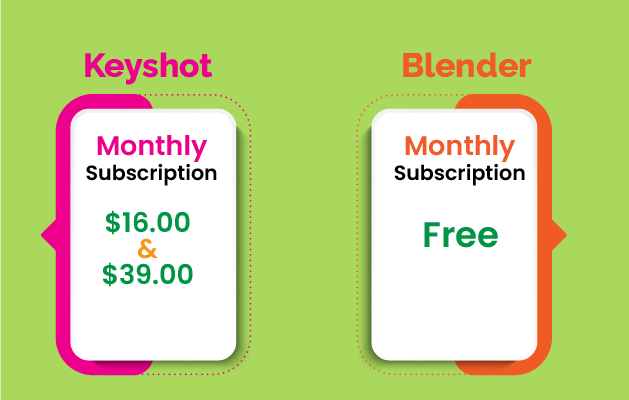
KeyShot's price stands at 99 dollars per month according to its pro subscription plan. In addition, it has an add-on subscription plan. Some of the examples are Network Rendering and KeyShot NX. Other subscription pricing can range from $16 to $39. These pricings can fluctuate and are subject to a rise in the future.
On the other hand, Blender comes with a completely free package. Hence, anyone could download the whole package without any cost. In addition, the developers provide you with the latest updates regularly. Therefore, any user can update to a newer version without delay.
The number of users of Keyshot is a bit lower than it is on Blender. Hence, we have a smaller number of comments to evaluate. However, after carefully analyzing the reviewers, we found that users proffered the software as easy to use. The support is decent, but not as much as Blender.
As Blender is an open-source toolset, it has many community members. As a result, users tend to rate the support of Blender as higher than that of Keyshot. Plus, most users find it easy to install and run on various computers, which is why users gave five stars on the usage and requirement section.
When it comes to targeted users and demographics, we found some similarities—both Keyshot and Blender target small businesses and entrepreneurs to use their products. But the adaptation of the Keyshot is a bit lower as it costs a bit. On the other hand, people who need a special rendering solution use KeyShot.
On the other hand, Blender targets individuals and small businesses. In addition, people who need quality 3D and rendering solutions tend to use the Blender software. Further, its targeted users also cater to people who have just started learning 3D. As a result, the installation rate is high in most of the users’ interactions.
Even though both software offer 3D solutions, KeyShot is famous for design purposes. The tool has wide usage in product design, higher education, and the automobile industry. KeyShot offers great features for easy 3D rendering solutions and serves different industries.
In contrast, Blender is popular in the game development and animation industry. Newer versions of Blender offer extensive support for these industries. Apart from these industries, Blender is widely known in the architecture industry. Hence, both professionals and beginners use it for everyday tasks.
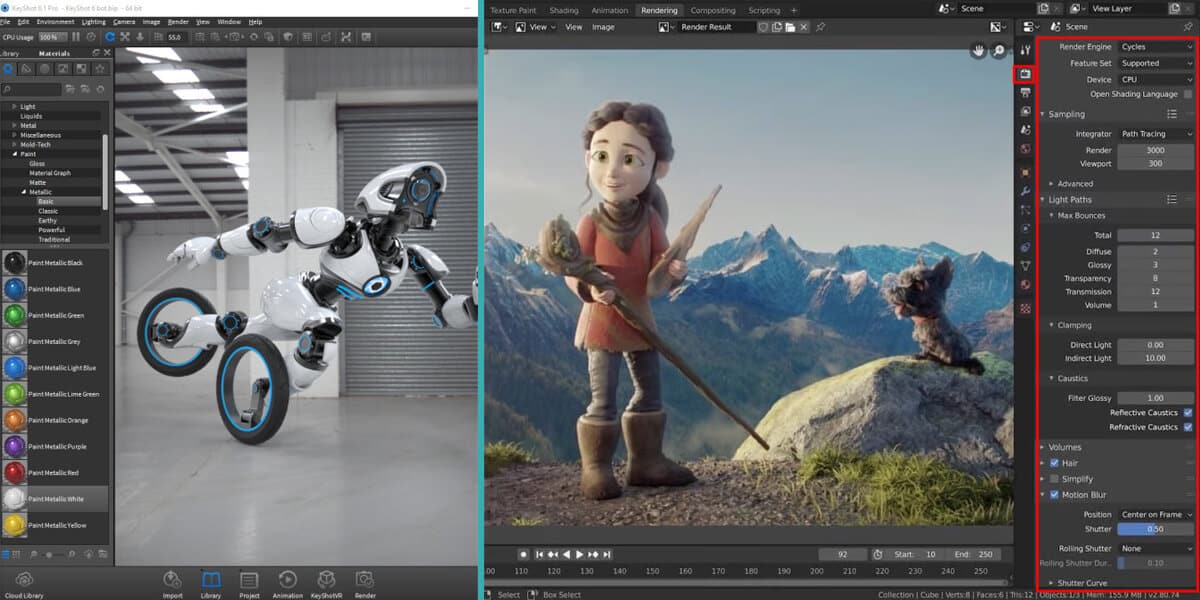
KeyShot provides you with real-time changes to your rendering. Even so, the options of the software are straightforward. It has great capabilities to render different materials correctly. In addition, KeyShot has useful options to customize the power usage.
On the other hand, the Blender has seamless rendering with three different engines. Even though the real-time rendering capability is available, it’s not as seamless as KeyShot. Further, the rendering engines of Blender offer material rendering. The software has great features, but it’s hard to learn.
In general, the KeyShot interface and functionality are easier than Blender. Moreover, KeyShot offers you an easy and streamlined process when it comes to rendering. You could drag and drop any material on the object with a simple drag and drop. The learning curve of KeyShot is much easier.
Bender is an advanced 3D modeling and rendering tool, so many find it hard to learn the built-in functions. In addition, the interface of Blender is a bit intimidating for beginners. Finally, even someone learning Blender would find it difficult to grasp the basic workflow.
KeyShot has a specialty in the 3D rendering and texturing process. Plus, it offers a seamless, enjoyable, and smooth workflow for any 3D artist going forward. In addition, KeyShot is a great platform to test and customize different sorts of rendering settings. Further, Keyshot is an easy-to-learn kit for any aspiring creator.
On the flip side, Blender is one of the best 3D creation solutions, free of cost.
Moreover, it’s a multi-purpose tool suitable for texturing, rendering, animation, etc. Further, Blender provides you with non-stop updates at a regular interval. Further, it’s also known for three different rendering cycles and interaction with other engines.
Related: How Long Does It Take To Learn Blender
Even though Blender offers you a great array of features, KeyShot gives you seamless rendering options. The rendering options of KeyShot are easy to learn and practice. Creators get to check out the real-time customization of their models. The settings are advanced yet a lot useful to use.
But if your budget does not match what Keyshot is asking, Blender might be a good option. Blender offers you more advanced options and features than Keyframe. But one downside is that it’s a bit complex and overwhelming. On the other hand, anyone new to Blender can take time to learn all the features.
Choosing the perfect tool for your 3D project can be a hard task. But in general, if your budget supports KeyShot, it’s better to go for it. On the other hand, if the budget is minimal and you want exceptional quality, use Blender. Even though both software have 3D modeling features, their output can differ.
On the other hand, you could approach a hybrid workflow. For example, your models could create and customize basic 3D models in Blender and complete rendering in Keyshot. Even though it’s not an official workflow, you could leverage a specific feature of both of the toolsets. Either way, choose your 3D program with proper consideration.
Let’s get into other questions that might occur while making the comparison.
KeyShot software has a lot of usability in different sectors. People use KeyShot because they need to present their ideas faster. Because presenting ideas is easier than KeyShot. Plus, rendering features are smooth and easy to understand for anyone. Hence, you get to access its CPU power usage and customize it.
No doubt, KeyShot is far easier compared to Blender. Because the interface of KeyShot is much more streamlined and simple to understand, plus, they are not as complicated as in Blender. But the downside is that you get some of the most advanced options in Blender. Yet the learning curve is shorter in KeyShot.
Most of the KeyShot licenses last for about one year straight. On the other hand, you could also take add-on packages for monthly packs. Hence, you could take out the free trial option of KeyShot if you don’t want to go for the year-long package.
After the KeyShot vs. Blender comparison, you could choose the perfect software for any 3D project. Each one has great features and drawbacks. You must review your project requirements and choose the 3D toolset. Consider each of the features and start working on your projects.
In short, KeyShot provides you with easy rendering features that improve your workflow. On the other hand, you could use Blender for your projects if you want improved output. In fact, you would get no cost as Blender is a completely free software suite. So don’t waste time and take action.
1
2
3
April 7, 2026
6
April 3, 2026
7
April 3, 2026
8
10
April 3, 2026